Most electricians, tutors, and salon owners in India already run their business on WhatsApp. The trouble is that they run it on a personal number, with no profile, no price list, and no way for a stranger to tell a business from a cousin.
A proper WhatsApp Business setup takes about an hour and changes how often a chat becomes a paid job. This guide covers the full path, from installing the app to confirming the first booking.
The Short Version
- ✓The app is free and runs on the number your customers already have.
- ✓Setup covers profile, catalogue, greeting, away message, quick replies, and labels.
- ✓Labels turn a messy chat list into a simple booking pipeline.
- ✓QR codes, short links, and directory listings bring the first enquiries in.
- ✓Reply speed decides most jobs, so answer inside ten minutes.
What Does The WhatsApp Business App Give You That Personal WhatsApp Does Not?
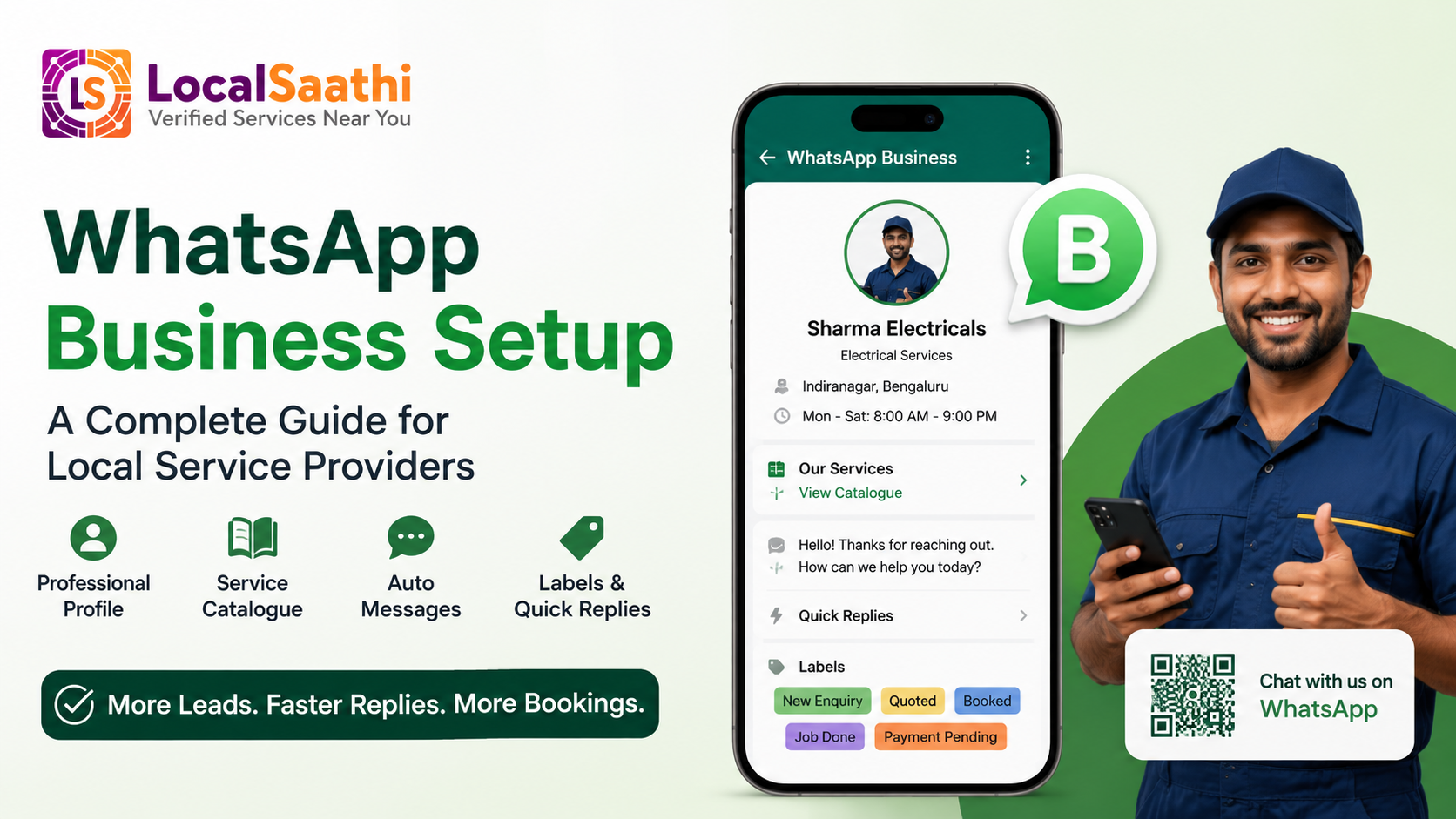
The WhatsApp Business app adds a proper business profile, a catalogue of your services, automatic greeting and away messages, quick replies, and labels for sorting chats. A personal account has none of these. That gap is the entire argument for a WhatsApp Business setup.
| Feature | Personal WhatsApp | WhatsApp Business app |
|---|---|---|
| Business profile with address and hours | No | Yes |
| Service catalogue with prices | No | Yes, shareable as a link |
| Greeting and away messages | No | Yes, automatic |
| Quick replies for repeat questions | No | Yes, saved as shortcuts |
| Labels to sort chats by stage | No | Yes |
| Cost | Free | Free |
Meta publishes the full feature list on the official WhatsApp Business app page, including the catalogue, cart, and the option to link multiple devices so more than one person can reply.
For a two-person plumbing outfit, the practical difference is that a customer at 11pm sees your hours, your service area, and your rate card instead of a blank profile photo and silence.
How Do You Set Up WhatsApp Business In Under An Hour?
A complete WhatsApp Business setup runs to nine steps, and not one of them needs a developer. Back up your chats first, then work through the list in a single sitting. Most owners finish in 40 to 60 minutes.
- 1Back up your existing chats, then install the app from Google Play or the App Store.
- 2Register the number you already give customers, or a second SIM if you want work and family separated.
- 3Fill the business profile: name, category, service area, hours, email, and a one-line description of what you fix.
- 4Set a profile photo that shows your shop, van, or team, not a logo nobody recognises.
- 5Build a catalogue with your six to ten most requested jobs, each with a photo and a starting price.
- 6Write a greeting message that names your service area and your response time.
- 7Write an away message covering nights, Sundays, and festival days.
- 8Save six quick replies for the questions you answer daily, such as rates, visiting charges, and availability.
- 9Create labels for New Enquiry, Quoted, Booked, Job Done, and Payment Pending.
Step nine is the one people skip and later regret. Labels are the difference between remembering a quote you sent on Tuesday and losing it under forty new messages.
Which Automatic Messages Should A Service Business Actually Use?
Three. A greeting for first-time enquiries, an away message for hours you cannot answer, and quick replies for questions you type every day. Configure these once during the WhatsApp Business setup and they hold the conversation while you are under a sink.
| Message type | When it fires | What to write | Why it matters |
|---|---|---|---|
| Greeting | First message from a new contact | Your name, area covered, and when you will reply | Confirms the customer reached a real business |
| Away | Outside your set hours | Your working hours and an emergency number if you have one | Stops a night enquiry going to the next plumber |
| Quick reply | You type a shortcut | Visiting charge, rate card, earliest free slot | Cuts a two-minute reply to two taps |
Keep the greeting to two lines. Something like: thanks for messaging Sharma Electricals, we cover Indiranagar and Domlur, and we reply between 8am and 9pm. Long automated paragraphs get scrolled past.
How Do You Turn A WhatsApp Chat Into A Confirmed Booking?
Ask the three questions that decide the job, quote a range, then send a written confirmation with date, time, address, and price. A booking exists when the customer repeats those details back, not when they say they are interested. This is where a tidy WhatsApp Business setup earns its hour.
What exactly is the problem, with a photo or a short video
Where is the property, and which floor
When do you need it done, today or this week
Then quote. Vague answers lose jobs, so give a number and a condition, such as 600 rupees for the visit and diagnosis, adjusted against the repair if you go ahead.
Once they agree, move the label from Quoted to Booked and send a one-line confirmation they can screenshot. Write it the same way every time: date, arrival window, address, and the amount agreed.
Where Do Your First WhatsApp Enquiries Come From?
From places customers already look. A QR code on your van and shutter, a short link in your Instagram bio, and your profile on local directories. A WhatsApp Business setup with no entry points is a shop with no signboard, so plan at least three ways in.
A printed QR code on your vehicle, invoice, and shopfront
Your wa.me short link in every bio, status, and quotation
A free business listing with your number, hours, and service area
A profile on LocalSaathi's local services marketplace where people already search for your category
Your number on every bill, receipt, and warranty card you hand over
Directories matter more than most owners expect, because someone searching for a pest control service at 9pm has no idea your business exists. The listing is what puts you in front of a customer who is already ready to book.
Print the QR code larger than feels sensible. A sticker on the back of a van has to be readable from the next lane at a traffic signal, and a code the size of a postage stamp never gets scanned.
What Costs Local Businesses Bookings On WhatsApp?
Slow replies, missing prices, and split phone numbers. Almost every lost booking traces back to one of those three, and each is a settings problem rather than a skill problem. A careful WhatsApp Business setup removes most of them on day one.
Replying after two hours, by which point the customer has hired someone else
A stock profile photo rather than the actual shop or team
Quoting in a voice note that the customer cannot forward to a spouse
No catalogue, so every conversation restarts from what do you charge
Broadcasting festival greetings to people who never asked for them
A second person replying from a different number, so history is split
Frequently Asked Questions
Is WhatsApp Business free?+
Yes, the WhatsApp Business app is free to download and use for chats, catalogue, and automated messages. Only the separate Business Platform, used by large companies, carries per-message charges.
Can I keep my personal number and still use WhatsApp Business?+
Yes, but not on the same number at the same time. Either convert your existing number to a business account or register a second SIM and keep personal chats where they are.
How long does a WhatsApp Business setup take?+
Between 40 and 60 minutes for a single-owner business. The profile and automated messages take fifteen minutes, and the catalogue takes the rest, depending on how many services you list.
How many staff can reply from one account?+
The app supports linked devices, so a small team can work from the same number. Larger teams that need many agents at once usually move to the Business Platform through a provider.
Should I message customers who have not saved my number?+
Only when they contacted you first or clearly opted in. Unrequested marketing messages get your number reported, and enough reports can cost you the account.
What should an away message say?+
Your working hours, when you will reply, and an alternative for emergencies. Keep it to two lines, and never promise a reply time you cannot keep on a busy Saturday.
Ready To Take Your First WhatsApp Booking?
Finish the WhatsApp Business setup this evening, then spend tomorrow putting your number where customers can find it. List your services, print the QR code, and answer the next enquiry within ten minutes.
List your business freeWant a second opinion on your profile before you publish it? Talk to the LocalSaathi team and they will walk you through it.